
A service request rarely arrives as one neat sentence. A customer writes “Can you fix this?”, sends three photos, adds the address five minutes later and asks for a price before the business knows the scope. The office needs one detail, a technician needs another, and the owner may need to approve an unusual job. If that conversation lives in one employee’s personal Telegram account, the business is already relying on a fragile workflow.
Telegram customer support for a service business works best when it gives customers one official place to start and gives the team one shared place to continue. The customer writes to a business bot. GramDesk routes the message into a private Telegram group and keeps that customer’s messages in a separate topic. The office, owner or specialist can read the available context and reply without exposing personal accounts.
This workflow is designed for small repair services, cleaning teams, handyman businesses, installers, maintenance companies, workshops and other local service providers that need a shared front door for customer conversations.

What customers ask a service business
The exact details vary by trade, but the communication pattern is remarkably consistent:
- Repair service: What is broken? Which model or item is involved? Can the customer send a photo or video? Is this an in-shop repair or a visit?
- Handyman service: What needs to be installed, assembled or repaired? Where is the property? Are materials already available? Are there access restrictions?
- Cleaning service: What type of property is it? What is the approximate size? Which rooms or tasks are included? Is this a one-time or recurring service?
- Installation or maintenance: Which product or system is involved? Is there an existing installation? What is the address? Is the request urgent or planned?
- Mobile service team: Which area is the customer in? What time windows work? Who will provide access? Is parking, a gate code or another practical detail relevant?
These are not support tickets in the enterprise sense. They are the facts needed to decide whether the business can help, who should answer and what the next step should be.
A service request is not a confirmed job
This distinction protects both the customer and the team. An incoming message may still need qualification, a site visit, a specialist review, an estimate or an availability check. The business should not imply that a technician is booked simply because the customer sent an address and preferred time.
Use clear language:
- “We received your request” means the conversation has started.
- “We are checking the details” means the team is reviewing scope or availability.
- “Here is the next step” can mean a question, estimate visit or proposed time.
- “Your visit is confirmed” should be used only after the job or appointment is recorded in the real schedule.
GramDesk keeps these messages visible. The official job status still belongs in the system the business uses for operations.
If the service request includes a visit or appointment, use the more detailed workflow for confirming appointment requests, reschedules and cancellations.
Why personal chats fail service teams
Personal Telegram often works for a solo operator. It becomes unreliable as soon as the work moves between people. The office receives the address, the technician receives the photo, and the owner receives the price question. Everybody has part of the job, but nobody has the whole customer conversation.
Forwarding screenshots into an internal group does not fully solve this. Screenshots lose sequence, later replies remain in the original chat and the customer still depends on one person’s account. If that employee is driving, off shift or leaves the business, the request can stop moving.
The commercial cost is easy to understand without inventing a percentage. A customer who is actively asking for a repair, cleaning visit or quote is evaluating the next step now. If the business cannot find the message or asks the same questions twice, the customer can contact another provider before the first team has reconstructed the conversation.
What the market offers — and where GramDesk fits
Service businesses can choose from very different tool categories. The correct choice depends on whether the problem is communication or full job operations.
| Option | Useful when | Main limitation for a small Telegram-first team |
|---|---|---|
| Personal Telegram accounts | One person handles a very small number of requests | The business cannot share ownership or reliably preserve context. |
| Website request form | The business needs structured initial details | Follow-up questions, photos and changes move into another channel. |
| Field-service management platform | The team needs scheduling, dispatch, estimates, invoices, payments, routes and job records | It may be more system than a small team needs for the conversation alone. |
| GramDesk shared Telegram inbox | The main pain is missed messages, personal accounts and team visibility | It does not replace job scheduling, dispatch, estimating or invoicing. |
Full field-service products are appropriate when operations need a shared calendar, technician assignment, arrival windows, route planning, estimates, invoices, payments and automated customer notifications. GramDesk is the lighter layer before that: one customer contact and one shared team inbox inside Telegram.
The products can also complement each other. The conversation can begin in Telegram, while the confirmed job, estimate and payment are recorded in the field-service or accounting system.
How the shared Telegram workflow works
- The customer opens the business bot from the website, Google profile, social bio, QR code, vehicle, receipt or email signature.
- They describe the request and send the details available at that moment.
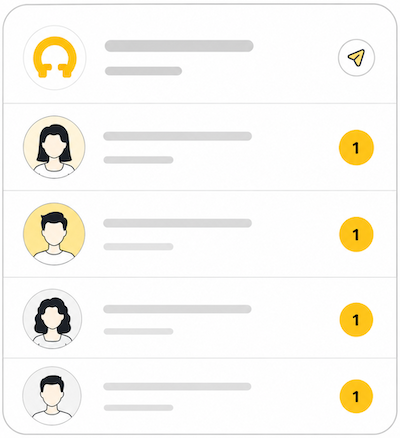
- GramDesk routes the message into the business’s private Telegram group.
- A separate topic keeps that customer’s conversation and available history together.
- The office or owner answers basic questions and asks for missing information.
- A specialist can review the same context when technical input is needed.
- The team confirms the next step and records the official job elsewhere when required.
The customer sees one normal conversation with the business. They do not join the private group and do not need to know which employee is on shift.
For the broader model, see how Telegram support works for local businesses.

Stop rebuilding service requests from screenshots
Give customers one business bot and let the people who help read the same conversation in Telegram.
Ask for the minimum useful service details
A long automated questionnaire can make a simple request feel like paperwork. Ask only for information that changes the next action.
| Detail | Why it matters | Example prompt |
|---|---|---|
| Problem or requested service | Routes the question to the right person | “What would you like us to repair or help with?” |
| Photo or short video | Shows visible scope, model or site conditions | “Please send one wide photo and one close-up if possible.” |
| Address or service area | Confirms coverage and travel requirements | “Which neighbourhood or postcode is the job in?” |
| Preferred timing | Separates urgent requests from flexible work | “Which days or time windows work for you?” |
| One trade-specific fact | Prevents an avoidable follow-up | Model number, property size, material, access or service history |
Do not promise a final price from a photo unless the business genuinely works that way. A photo can help qualify a request, but hidden damage, materials, access and on-site conditions may change the scope. Use language such as “initial estimate”, “price range” or “site visit required” according to the business’s real policy.
Let office staff and specialists work together
The person who notices a new request does not always know the answer. An administrator can collect the address and model. A technician can assess whether the photo is useful. The owner can approve an unusual service area or next step.
Keep the customer response coordinated. The team can discuss internally, but one person should send the clear external answer. Before replying, read the customer topic and identify the last promise made. This reduces duplicate answers and prevents the specialist from asking for information the office already collected.
Invite only people who need customer access. A private support group is still a business workspace. Remove access when someone leaves and keep sensitive documents in the systems designed to hold them.
Keep the official job record outside the chat
Telegram conversation history is helpful context, but it should not become the only place where the business stores an accepted estimate, scheduled visit, invoice or payment.
After the customer agrees to proceed, record the job in the normal source of truth. Depending on the business, that may be a calendar, spreadsheet, job-management app, field-service platform or accounting system. Include the confirmed address, date or arrival window, scope, responsible person and commercial documents required by the business.
This division keeps the workflow honest:
- GramDesk organizes the human conversation;
- the calendar controls time and availability;
- the job system controls work and assignment;
- the estimating or accounting tool controls prices, invoices and payments.
Use the conversation after the first request
Service support continues after a job is accepted. Customers ask whether the technician is coming, send an access update, add a photo, ask about a delay or return with a follow-up after the visit. When those messages return to the same customer topic, another teammate can understand the previous discussion before answering.
When a customer asks about job status, the team checks the operational system and replies with accurate information. The question remains visible and attached to the same customer context instead of landing in a different employee’s private inbox.
Where to place the Telegram contact link
Put the bot link where service intent already exists:
- service and contact pages on the website;
- Google Business Profile and relevant directories;
- Instagram, Facebook or Telegram business profiles;
- quote and confirmation emails;
- vehicles, storefronts, reception areas and printed materials;
- QR codes on invoices, receipts or completed-work documents.
Use action-focused copy. “Send photos for an initial review”, “Request a service visit in Telegram” or “Ask about repair availability” is clearer than a Telegram icon with no explanation.
A practical setup checklist
Create one Telegram bot with a recognizable business name. Create a private Telegram group for the people who answer and enable the required topics and bot permissions. Connect the bot and group through GramDesk, then test the complete path as a customer.
Do not test only “hello”. Send the kind of request the business actually receives: a description, two photos, an address, a voice message if relevant and a later follow-up. Confirm that the team can read the message, continue the same conversation and send a reply back through the bot.
The Telegram support bot setup guide covers the connection steps. After setup, publish one entry point first and watch how the team handles real requests before replacing every existing channel.
When GramDesk is enough
GramDesk is a good fit when the business has a small team, customers already use Telegram and the immediate problem is communication visibility. It helps when messages are trapped in personal accounts, specialists need to review customer photos, or another teammate must continue after a shift change.
It costs about $0.10 per active bot per day, roughly $3 per month. Unlimited teammates are included, so adding a technician or backup administrator does not create another paid support seat.
Choose a full field-service platform when the business needs technician scheduling, dispatch, routes, GPS, recurring jobs, inventory, estimates, invoices, payments, profitability reports or automated job notifications. Choose a formal helpdesk when support requires SLAs, complex permissions, multi-channel routing and management analytics.
The practical role of GramDesk is to stop making one person’s personal chat the operational front door of the service business.
Frequently asked questions
Can customers request a quote in Telegram?
Yes. They can describe the work and send relevant details. The business decides whether it can provide a range, needs more information or requires an on-site estimate. GramDesk does not calculate or approve quotes.
Can customers send several photos?
Yes. Customers can send several photos, as well as videos, documents and voice messages, in the bot conversation. Test the exact customer journey before publishing it as an official service channel.
Can technicians reply directly?
Technicians can be added to the private support group when the business wants them to participate. Many teams still use an administrator as the main customer-facing voice and involve a technician only for technical questions.
Does GramDesk replace Jobber, Housecall Pro or other field-service software?
No. Those platforms can manage scheduling, dispatch, estimates, invoices, payments and job operations. GramDesk is a lightweight shared inbox for the Telegram conversation.
Is this useful for a one-person service business?
It can be useful when the owner wants a separate public business contact and cleaner work/personal boundaries. The collaboration benefit becomes stronger when another person helps with enquiries.
Organize service requests before they become lost jobs
Use one public Telegram bot for customers and one private group for the people who answer—without paying per teammate.